

Reliable HDMI 2.2 Cable Buying Tips for Stable High Bandwidth Connections
2026-11-20
HDMI 2.2 promises a big jump in bandwidth, but a cable that barely meets the spec can still ruin your 8K setup with dropouts and flickering. Instead of chasing marketing numbers, it helps to know which construction details actually matter for stable high-bandwidth signals. Whether you are wiring a gaming PC or a home theater, a few practical checks will save you from bad surprises. Brands like EBCYX have focused on this problem, but the real trick is learning what to look for before you buy. Here are the buying tips that will keep your connection solid when it matters most.
HDMI 2.2 Bandwidth Claims Are Only Half the Story
The headline figure for HDMI 2.2 is easy to quote, but raw bandwidth rarely lines up with what a device can actually push through a real cable in a living room. Signal integrity, cable length, connector tolerances, and how the source packages video data all eat into that number before a single frame reaches the display. A port can look fully compliant on a slide and still fall over at certain resolution and refresh rate combinations once you attach a three-meter cable.
Even when the link does hold, more bandwidth does not make a mediocre panel or poorly mastered content look better. The practical gains depend on whether the source, display, and everything in between can handle less compressed or higher-frame-rate signals end to end. If the panel tops out at 60Hz or the processor drops frames, the unused headroom is just a spec-sheet trophy.
What tends to matter more day to day is the quieter stuff: firmware maturity, EDID handshakes, cable certification, and whether features actually work together across brands. A stable 4K signal over a certified cable will almost always beat a flaky 8K link that negotiates poorly. Peak bandwidth tells one side of the story, but the experience is built or broken in those implementation details.
Certification Marks That Aren't Just Stickers
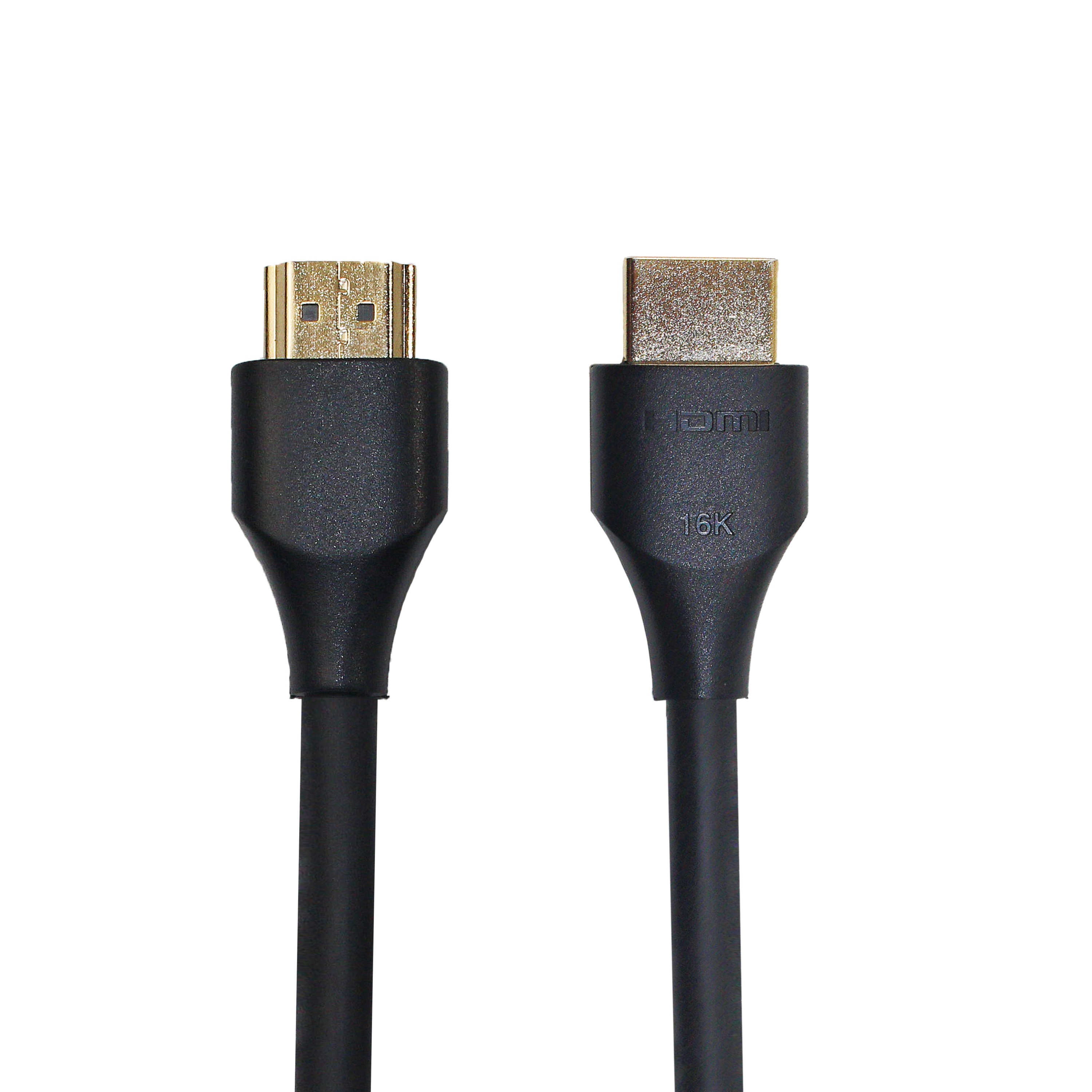
A certification mark only earns its place when it resists casual copying. Some labels peel off clean, leaving no trace; others are woven into the product itself or pressed into metal. These marks carry weight because they force counterfeits to do more than print a logo.
Look closely at a certified device or garment. The mark may shift color under angled light, bear a serial number tied to a batch record, or sit beneath a layer of tamper-evident film. These are not decorative choices. They create a physical link between the item in your hand and a specific audit trail.
The real signal is often in the unglamorous details—rough edges where a hologram meets thread, faint UV ink, or a plate mark that disappears at certain angles. A sticker can be scanned or recreated in an afternoon. A mark embedded in hardware or fabric can't be faked with a decent printer, and that gap is what makes the certification meaningful.
Cable Length Changes the Math
Every extra foot of cable quietly changes the numbers behind an installation. Resistance, capacitance, and propagation delay are not fixed specs; they scale with the actual run length, so a design that looks solid on a short bench can behave very differently once the wire disappears into a ceiling.
DC power is where the shift shows up first. Voltage drop tracks loop resistance, and loop resistance grows with the out-and-back distance, not just the one-way length. A device that easily rides at 90 feet may sit near its undervoltage threshold at 250 feet on the same power source, forcing a thicker gauge or a remote power tap.
High-speed signals add a less linear curve. Longer runs introduce more attenuation, skew, and reflections, and those combine to close the eye pattern faster than a simple decibel estimate would predict. That pushes installers to rework the link budget from the source to the far end rather than assuming a signal booster alone will recover the margin.
The Connector Is the Real Bottleneck
Most performance work starts and ends with the database, the cache, or the compute layer. The connector sitting between them rarely gets the same scrutiny, even though it decides how fast data can actually enter or leave those systems. A connector that parses payloads one record at a time, opens a fresh connection for every batch, or waits on a single-threaded handshake will quietly cap throughput no matter how much headroom exists downstream.
The symptoms are easy to misread. Jobs appear slow, memory climbs under load, and retries fire without an obvious cause. Often the real issue is not the query plan or the queue size but the connector's inability to push data at the rate the rest of the pipeline can accept. Small defaults around fetch size, connection pooling, or synchronous acknowledgment can turn a capable stream processor into something that idles between micro-batches.
Treating the connector as a first-class component changes the conversation. Instrument its queue depth, record its effective batch size, and load-test it before adding more workers or shards. In many setups, replacing a naive connector or tuning its transfer loop produces a larger gain than upgrading the systems on either side, because the bottleneck was never the engine; it was the pipe that feeds it.
Shielding Decisions That Show Up in Daily Use
Most people never think about why a charging cable feels stiff near the connector or why some USB ports have a metal collar inside. Those details are quiet shielding choices. The extra foil under the braid, the small ferrite bead near the plug, and the spring fingers lining a port opening all cut down on interference that would otherwise make a trackpad skip or a file transfer drop. Once you notice them, they stop looking like random design quirks and start reading as deliberate fixes for problems that only appear after weeks of daily use.
A desk setup makes these decisions more visible. Moving a wireless mouse receiver from the back of a tower to a front port or a short extension cable changes how often the cursor stutters. Keeping the side panel on a PC case matters less for dust than for containing noise from the board, and swapping a cheap dock for one with proper grounding can be the difference between clean audio and a faint buzz that comes and goes with the refrigerator cycling on. None of this gets listed on a spec sheet as shielding, but the effects show up within a day.
Even away from a desk, small choices accumulate. A phone case with a metal plate for a magnetic mount can weaken wireless charging or make GPS drift. Putting a transit card next to a phone that uses strong magnets can leave the card unreadable at the turnstile. Cables that live in a bag get twisted around power bricks and keys, and the ones with better internal wraps survive without splitting or developing crackly audio. The shielding that matters is not always about blocking signals completely; it is often about keeping one everyday item from quietly interfering with another.
Future-Proofing Without the Upsell
Real adaptability rarely comes from buying another module or unlocking a premium tier. It comes from choosing tools that let you rearrange their building blocks as your needs shift. When a platform treats every feature as an open option rather than a locked gate, you stop worrying about which plan you'll need next year.
The practical test is simple: can you export your data cleanly, invite a collaborator without changing your subscription, or automate a workflow without contacting sales? If the answer is yes across the board, you're not being upsold—you're being given room to move. That's the quiet advantage of software that doesn't penalize growth.
Future-proofing, then, is less about predicting trends and more about avoiding handcuffs. A flexible core beats a long feature list every time, because the features you actually need in five years probably don't exist yet.
FAQ
Look for a certification badge with a QR or hologram and verify it through the official HDMI licensing site. Plenty of cables print 8K or high speed on the box without the proper mark, so if the seller cannot show a valid certificate, treat the rating as unproven.
For passive cables, staying under two meters is the safest choice. Longer runs usually need an active or fiber optic cable explicitly rated for HDMI 2.2. Extra length adds resistance and jitter, so avoid buying a long cable just for future flexibility.
It helps with durability around sharp bends and repeated plugging, but it does not improve signal quality. Spend your budget first on proper shielding and certification. A braided sleeve is mainly useful if the cable will be moved often or placed near pets.
Not really. Some expensive cables rely on brand and looks while using ordinary internal construction. It is more useful to check the certified bandwidth, connector build, and return policy than to assume price equals quality.
No. The connector may fit, but the cable was not built for the higher bandwidth. You might get a lower-resolution picture, but high refresh rates and uncompressed 8K or 10K signals can drop out. The cable itself has to match the spec for stable high-bandwidth use.
Look for corrosion-resistant plating and solid strain relief where the cable enters the connector. After plugging it in, give the connector a light wiggle. A loose fit commonly causes flickering or dropouts that people blame on the player or TV.
Run the highest bandwidth signal you have, like a high-refresh 8K test loop or a long gaming session, for at least 30 minutes. Then feel near both ends for heat. Mild warmth is fine, but hot spots often point to poor shielding or a weak internal connection.
Conclusion
Most buyers fixate on the 96Gbps figure printed on the box, yet that headline number rarely survives contact with real hardware. A cable can be rated for HDMI 2.2 bandwidth and still drop signal if the internal twists, solder joints, or dielectric materials are inconsistent. Instead of trusting the spec sheet, look for a certification that can be verified through the HDMI licensing administrator's app or a linked QR code; a printed logo alone is easy to fake. Length matters just as much as the rating. Passive cables tend to stay reliable under roughly two meters, but once you push past three meters without moving to an active or fiber-optic design, intermittent black screens and audio dropouts become common even when the cable was not cheap.
The connector is where many failures begin, not the wire itself. A stiff plug with poor strain relief will loosen over time, especially when routed behind a wall or pulled tight around a cabinet edge. Look for one-piece shells, snug contact pins, and enough flex relief near the boot. Shielding is less glamorous but shows up in daily use if you run the cable near power bricks, routers, or other HDMI lines. Foil plus high-coverage braid usually outperforms a single spiral wrap. For future-proofing, skip the premium "16K ready" upsell unless you already own source and display hardware that can use the extra throughput. A well-built certified cable with modest headroom will stay more dependable than a heavily marketed one built to a paper specification.
Contact Us
Contact Person: David Yang
Email: [email protected]
Tel/WhatsApp: 8615814734054
Website: https://www.ebcyx.com/